Flash a device
We use the in-browser ESP Launchpad to drop a pre-built merged binary onto an ESP32-C3 devkit. No idf.py, no toolchain — just Chrome and a USB cable.
1. Connect the devkit
Plug the ESP32-C3 into your computer over USB. If you're flashing a CCT light, the GPIO is the output (drives the Pert CCT LED driver), not the LED itself.
2. Open ESP Launchpad and connect
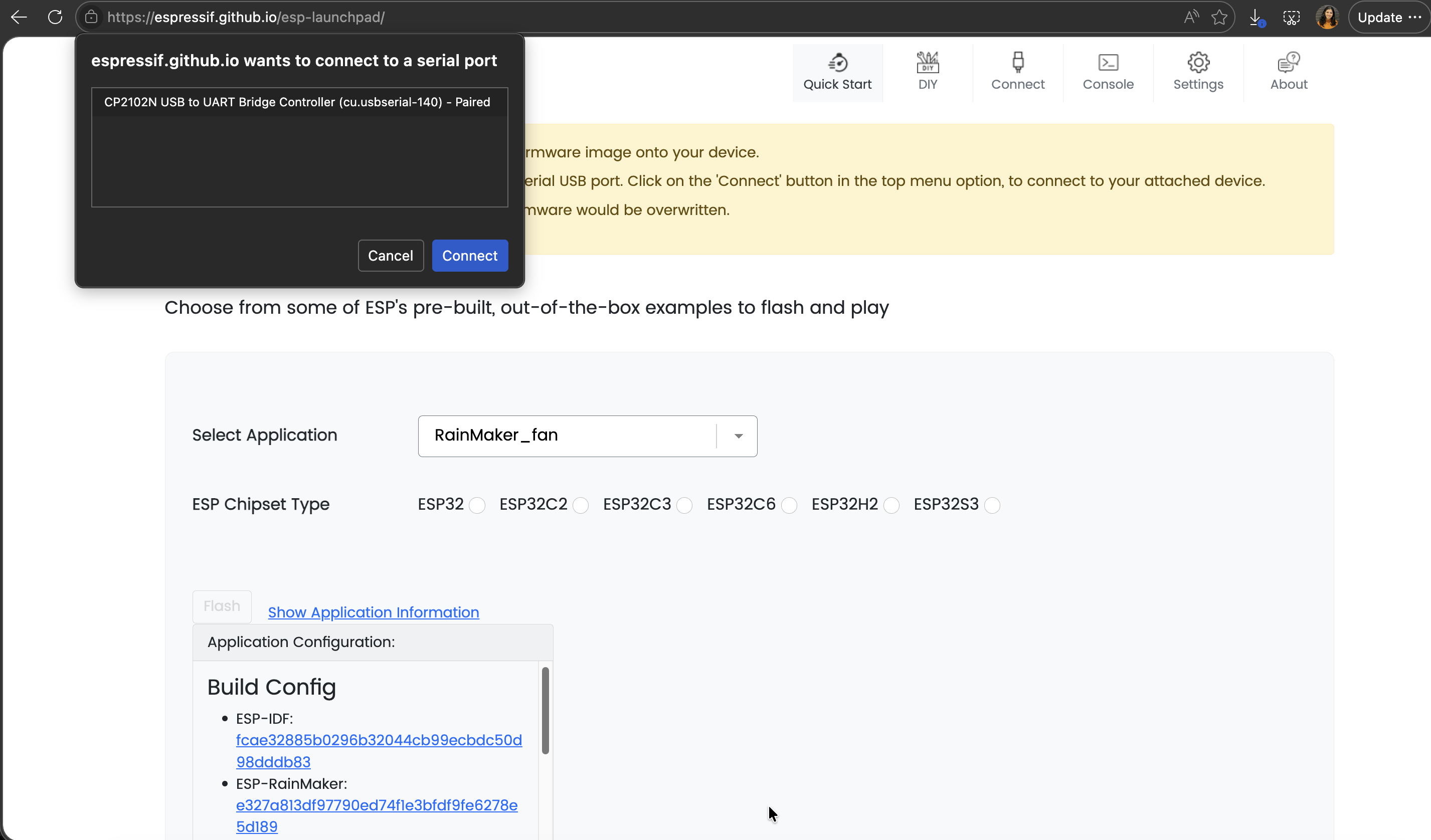
Open ESP Launchpad. Click Connect, the browser pops a "select a port" dialog — pick your device.
3. Flash
Select an application binary from the dropdown menu. and Flash.
4. Confirm flashing finished
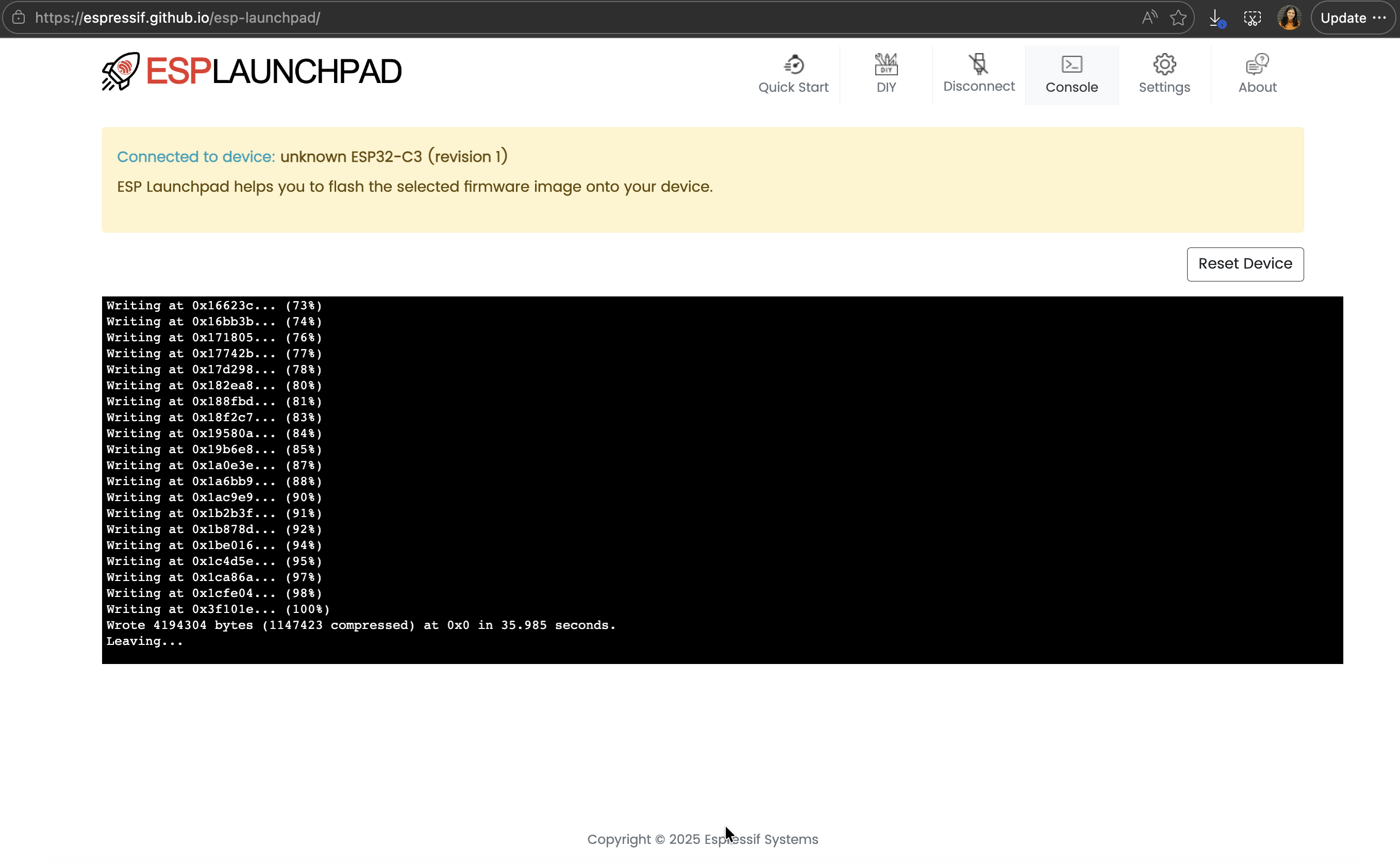
Switch to the Console tab. Lines should end with Leaving... — that's the binary committed.
5. Reset and watch the device boot
Click Reset Device, confirm the dialog, and watch the console.
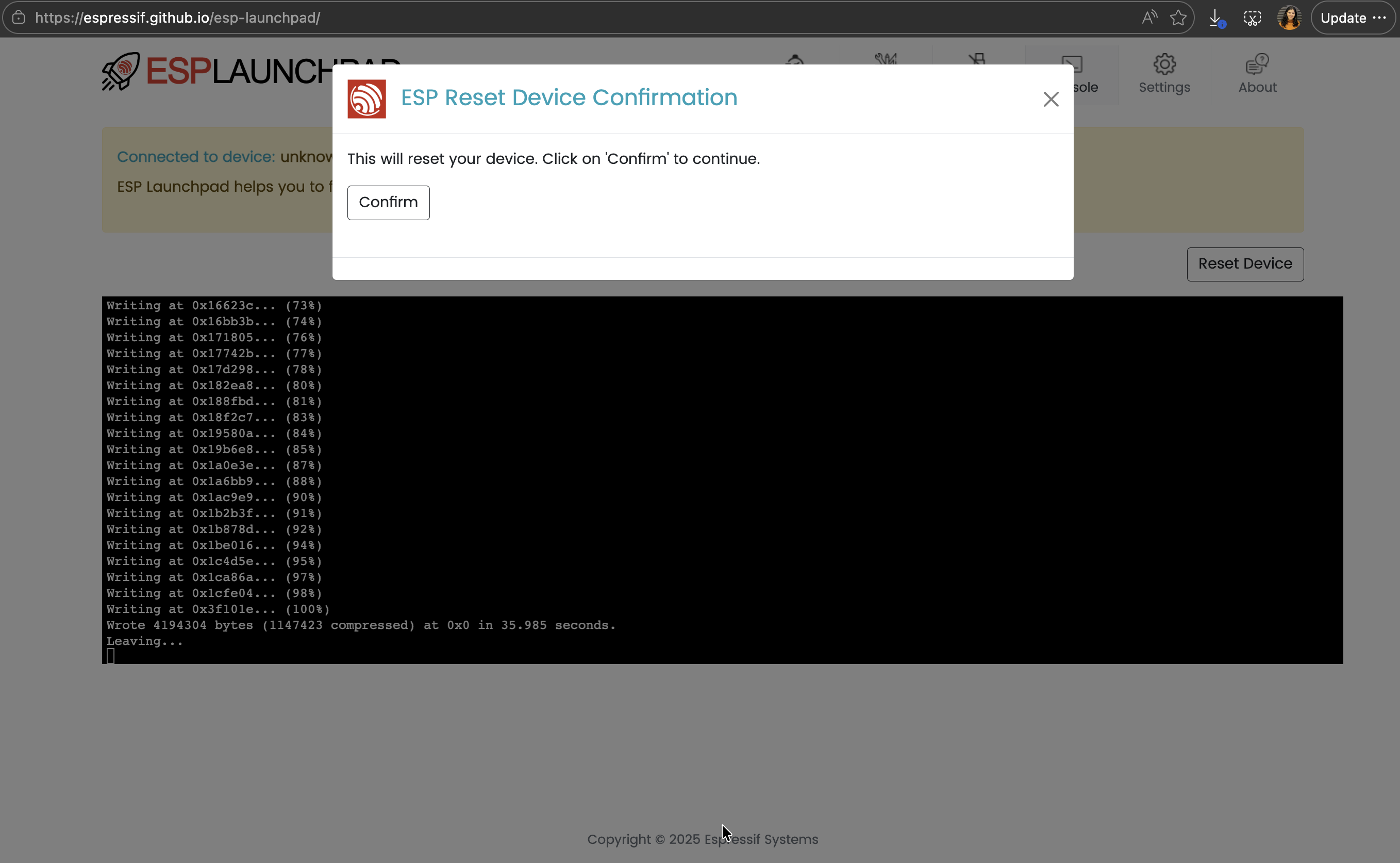
When the device is ready for provisioning, a QR code appears in the console output. Keep this window open — you'll scan that QR code from the phone app on the next page.
Holding BOOT performs a network reset (~5 s) or a factory reset (~10 s) on the in-tree examples, returning the device to provisioning mode. See Troubleshooting.