Registration
Registration is how a deployment learns that a node exists: the node's certificate is attached to an AWS IoT Thing, with a policy attached to that certificate, after which — and only after which — the device can connect. The dashboard splits the work across two pages under Node management in the left sidebar.
Generate nodes
Generate nodes produces everything a small batch needs in one ZIP: per-node
credentials, factory NVS binaries, provisioning QR codes, and a node_certs.csv for the
registration step. Enter the Number of devices — the form shows the per-batch maximum —
and optionally turn on Generate Matter-enabled device data if you're building a Matter
node. Hit Generate.
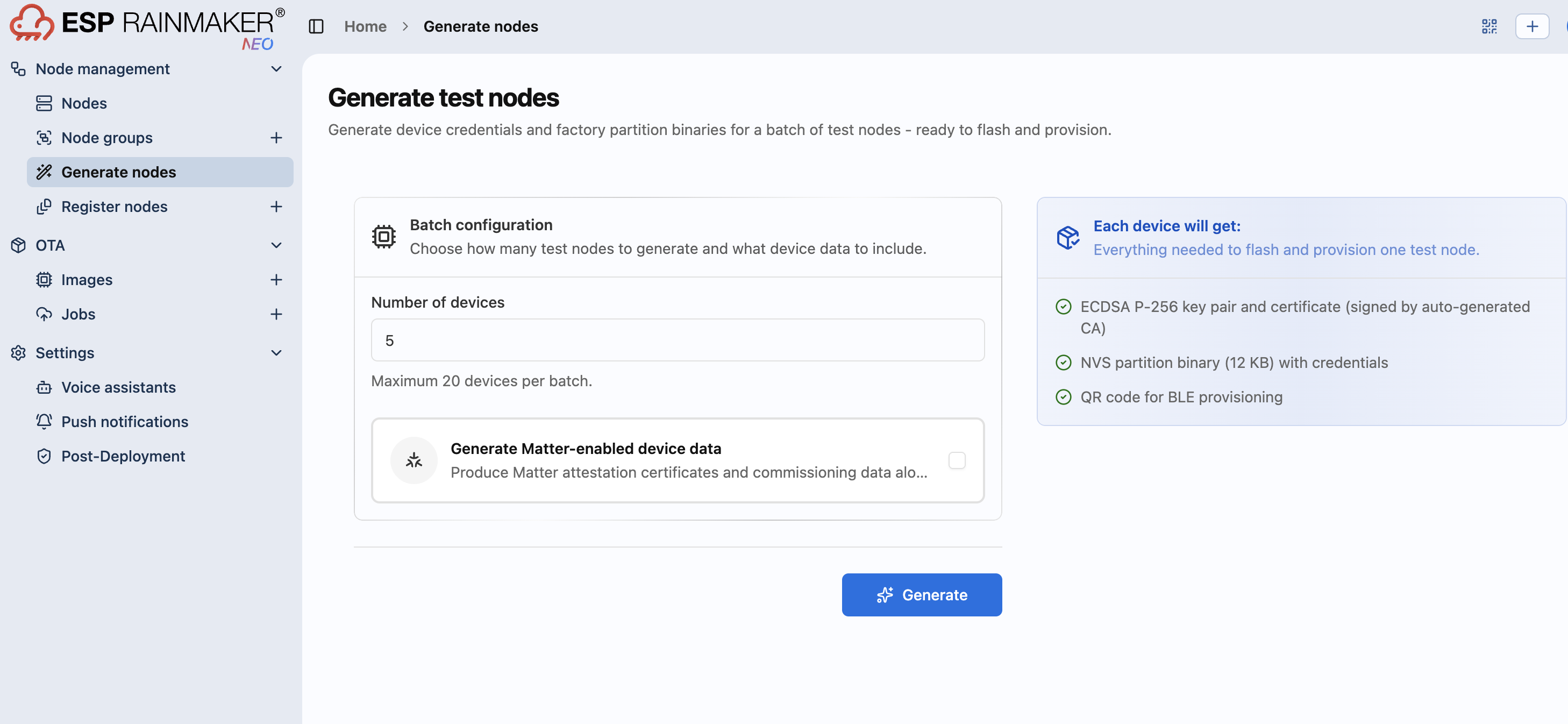
This is the right tool for development and pilot batches. For manufacturing runs, use the scripted CLI batch flow instead, which also registers and can emit merged flash images.
Once generation finishes, Download the package before doing anything else — Register
nodes stays locked until you do, since registration reads node_certs.csv out of that same
package.
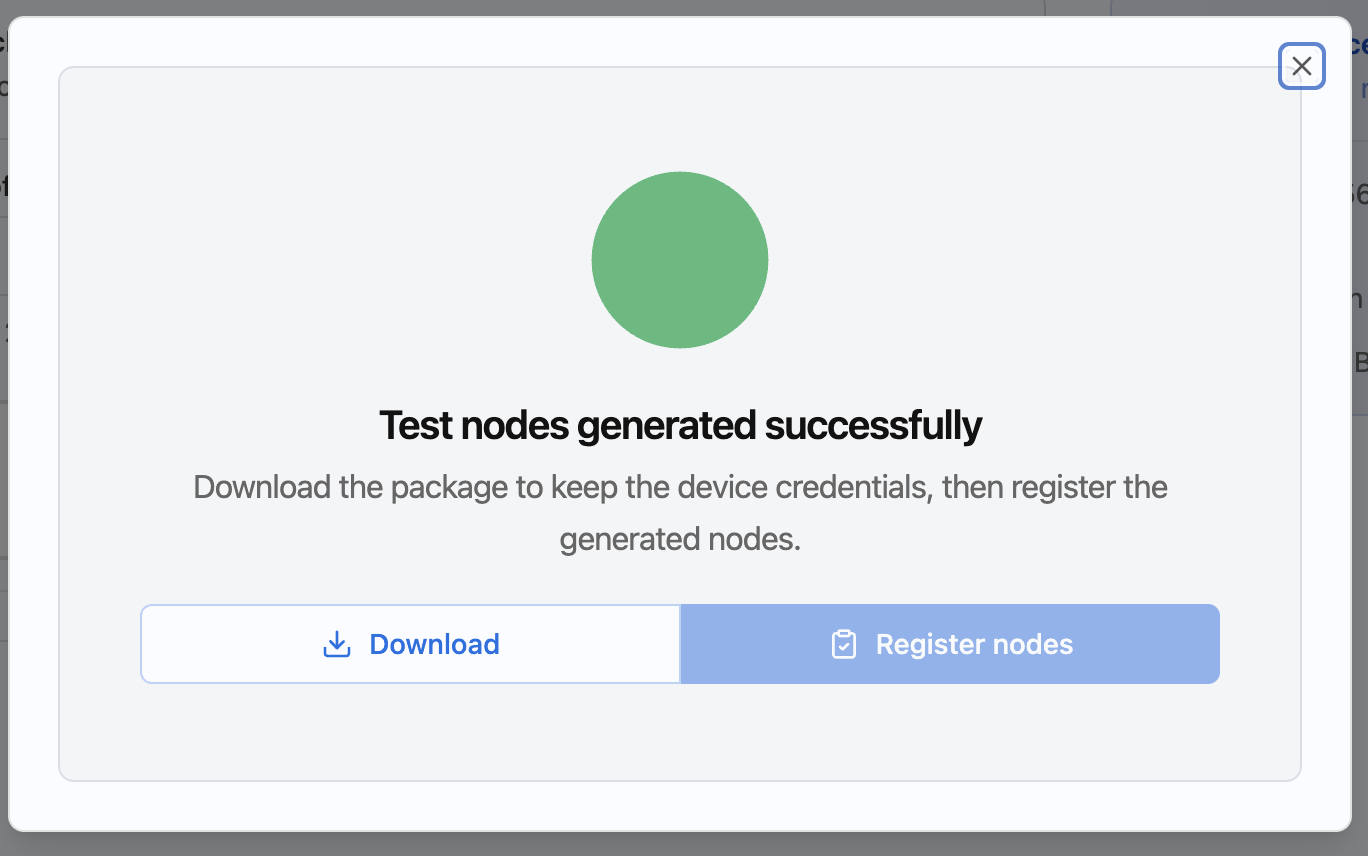
The single most common dashboard mistake. Generate nodes produces credentials; Register nodes tells the deployment they exist. A node whose certificate was generated but never registered fails TLS at connect time, which looks exactly like a wrong MQTT host. If a device will not connect, check registration before you debug the firmware.
Register nodes
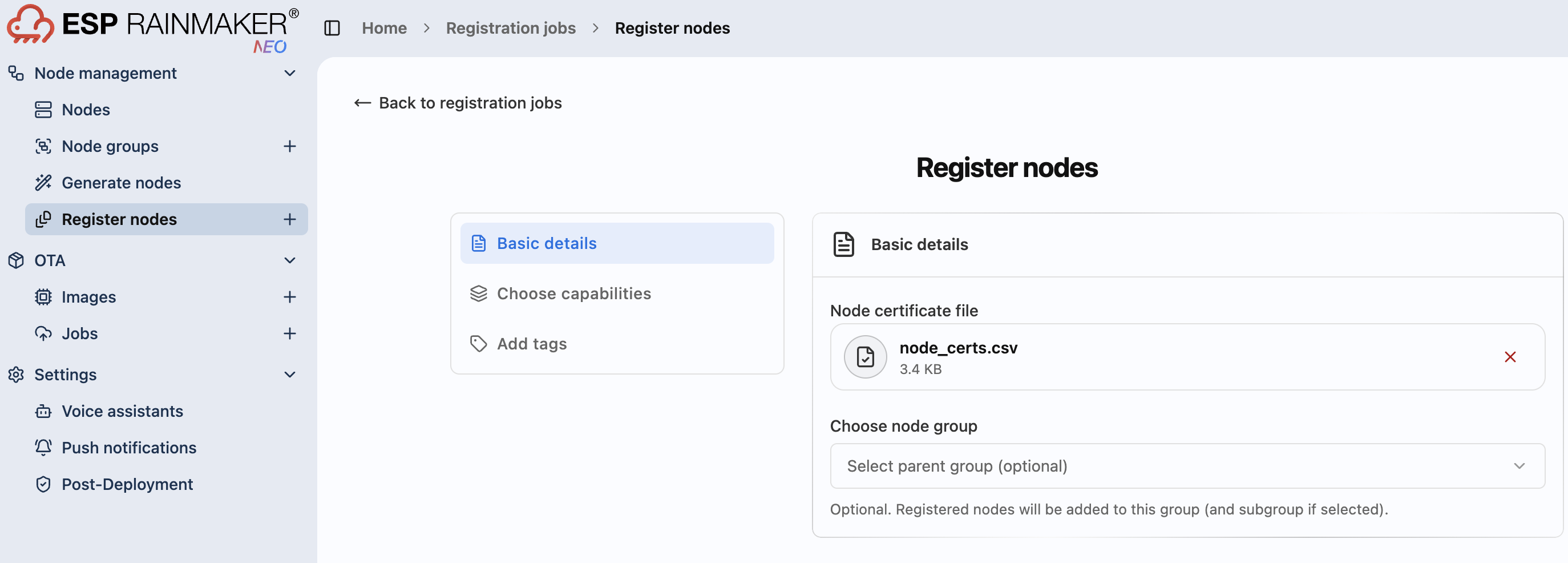
Register nodes uploads node_certs.csv from the generated ZIP (or one you produced
yourself) to register the batch with the deployment. Registration runs as a job, so you watch
it in a list rather than waiting on a single click.
Open it right after generating and downloading, and node_certs.csv auto-populates as the
Node certificate file — from there you only need to fill in the rest.
Choose capabilities and Add tags are both optional — only Basic details are required
to register. Choose capabilities enables File Storage (S3) or Camera Streaming (KVS) on the
registered nodes. Add tags lets you attach your own key:value tags on top of the ones the
dashboard adds automatically (registered_from, batch).
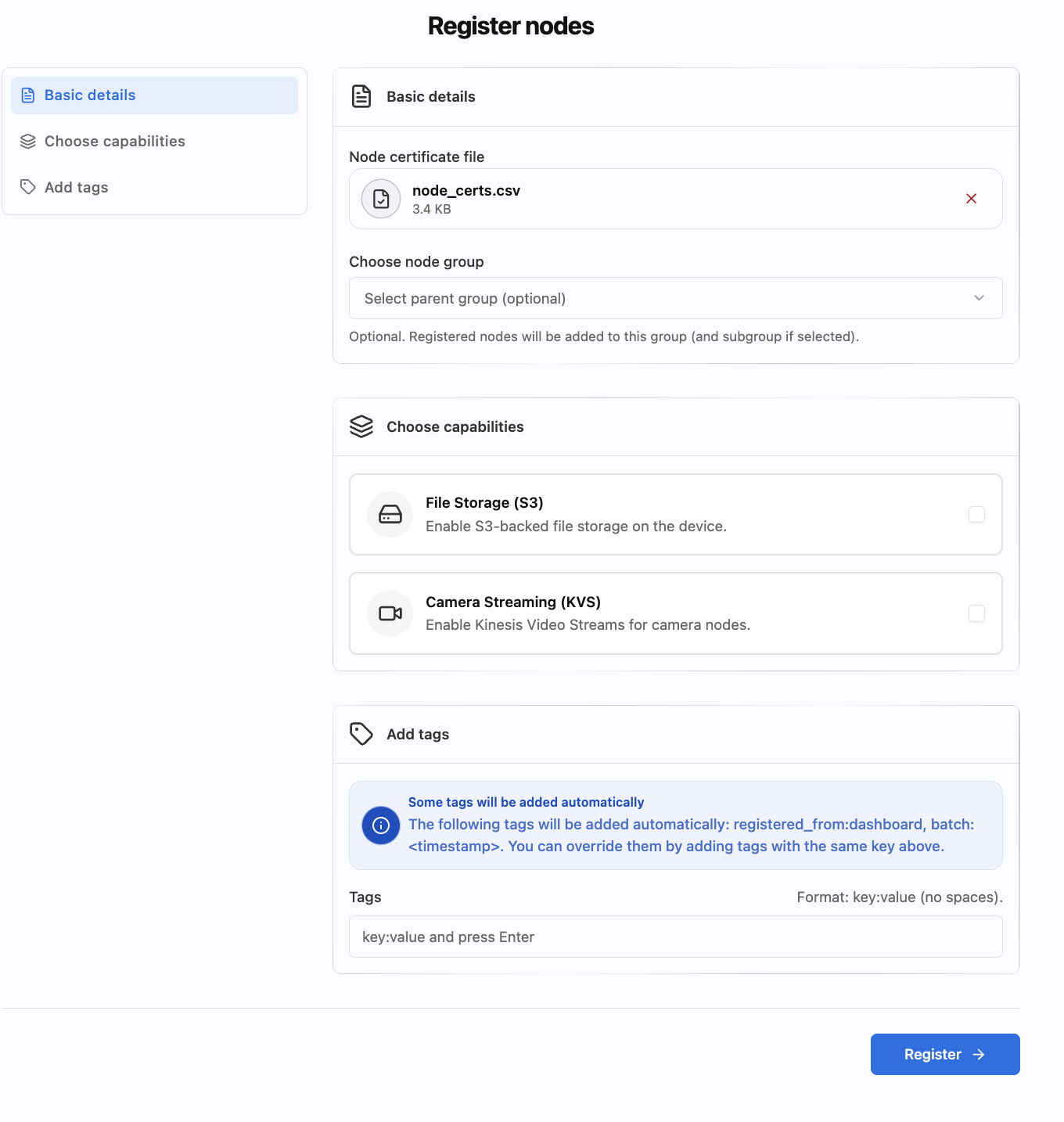
Click Register at the bottom once you're done.
Registration progress
Clicking Register opens a progress popup that walks through each step in detail: Initiate registration → Upload certificate file → Create registration request → Registration completed. Once every node succeeds, the popup confirms it and offers Back to Registration jobs or Register more nodes.
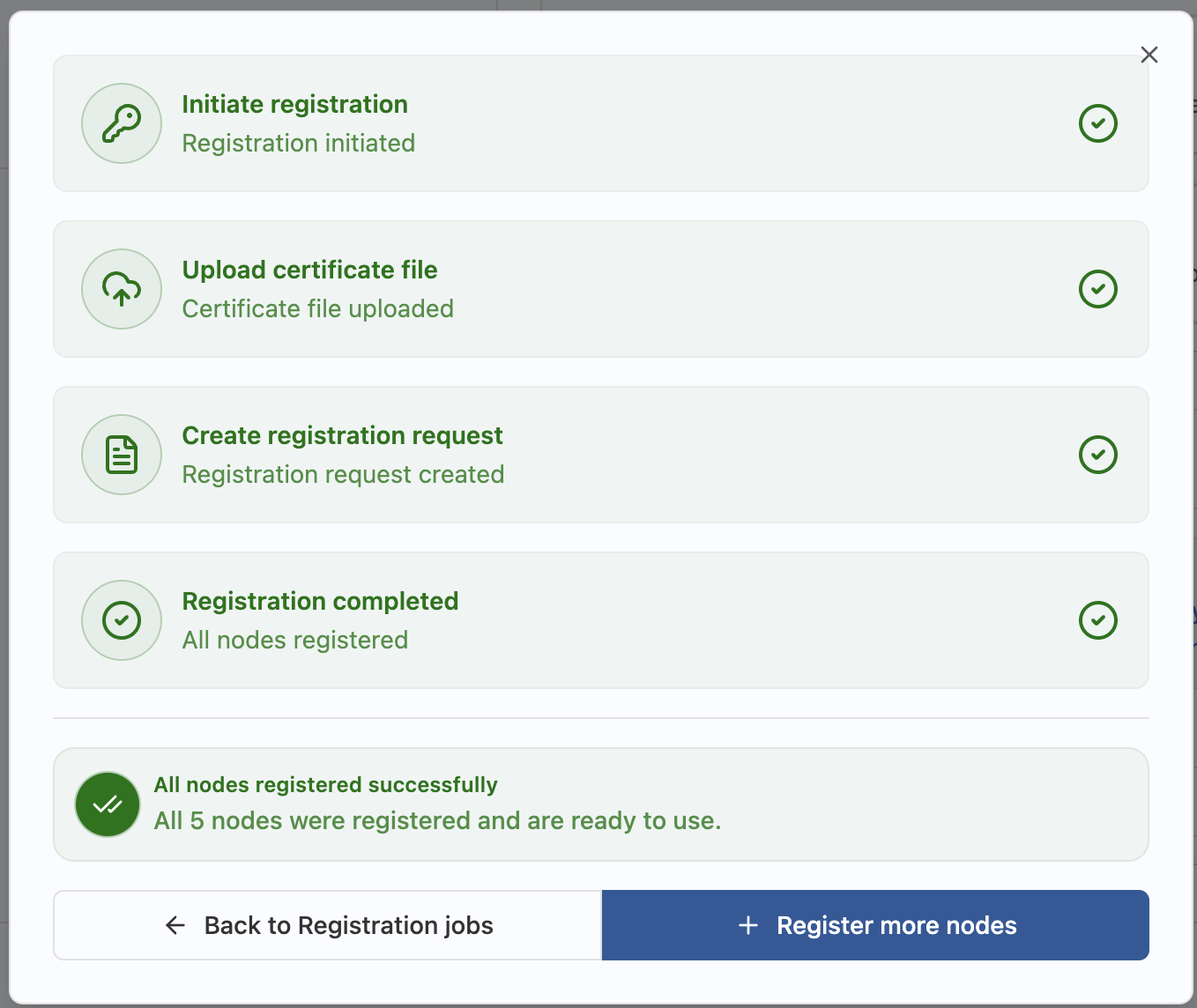
You don't have to wait for it to finish. Registration runs in the background even if you close the popup — come back later under Register nodes → Registration jobs to check status.
Back to Registration jobs takes you to the list of every registration request made, with its status, progress, and when it last updated.
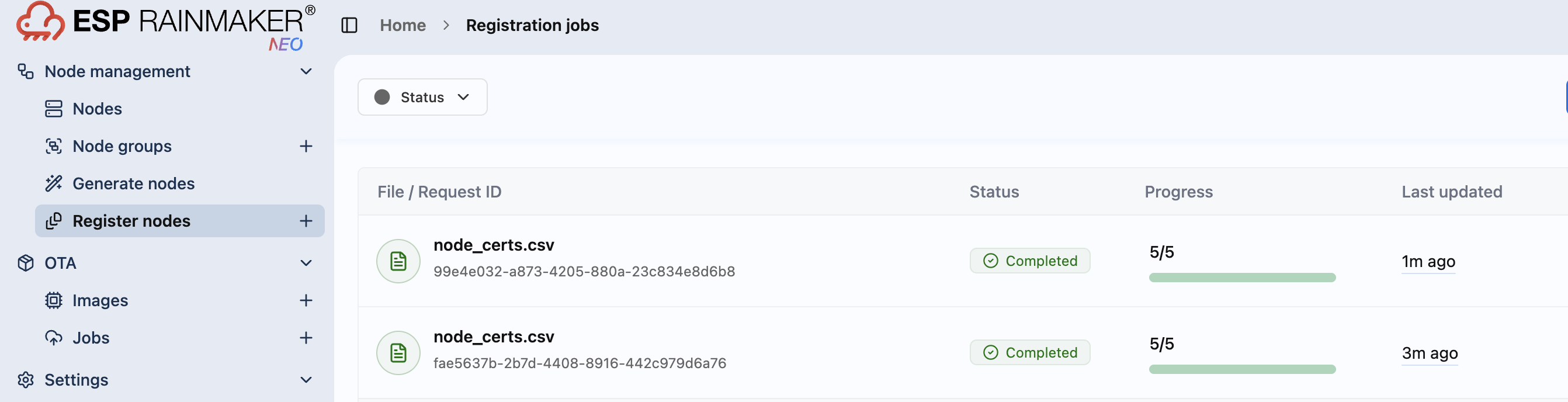
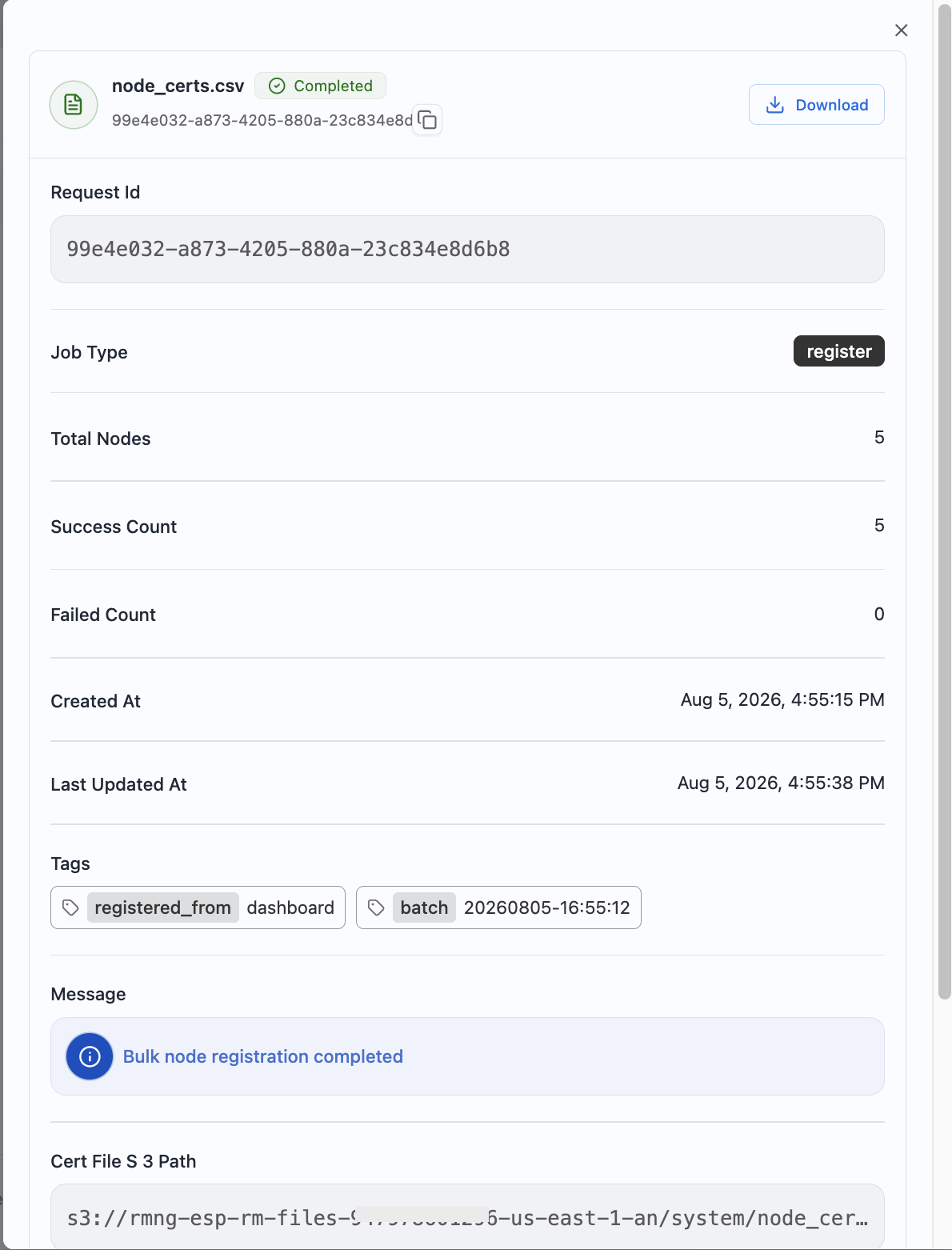
Click a job in that list to open its full details — job type, node counts, timestamps, tags, the completion message, and the S3 path of the certificate file it registered.
Related
- Dashboard batch flow — the full walkthrough: generate, register, flash, and what is inside the ZIP
- Device credentials — how registration fits the identity story, and the alternatives (claiming, CLI batch)