Deployment Details
Everything the app and other clients need to talk to a deployment is published as one JSON document, plus a QR code pointing at it. This page is what "the deployment details QR code" refers to everywhere else in these docs.
What gets published
https://rmng-public-assets-<ACCOUNT_ID>.s3.us-east-1.amazonaws.com/<APP_REGION>/rmng-client-outputs.json
and the matching QR image:
https://rmng-public-assets-<ACCOUNT_ID>.s3.us-east-1.amazonaws.com/<APP_REGION>/rmng-client-outputs-qr.png
Secrets are stripped before upload. Everything else is public by design: these are the same values a mobile app ships with.
Where to find it
-
Cloud Installer — the installer home page lists deployed stacks, plus a link and QR code for the client-outputs URL. You can scan it straight off the screen. They are in the Quick access card, under Deployment QR, with Open link below the code.
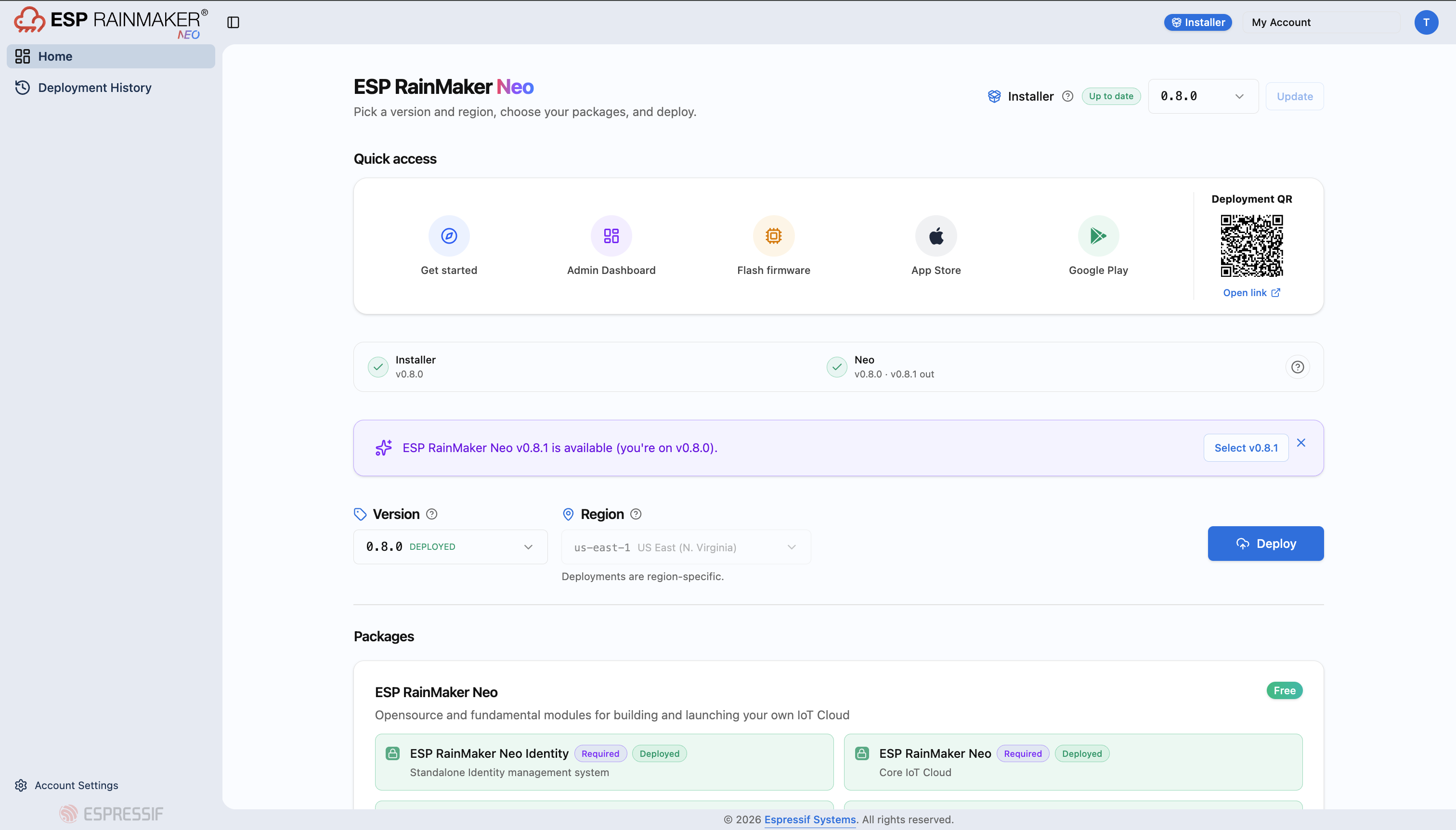
-
Admin Dashboard — the dashboard home screen has the deployment details QR code in the top right corner
-
make deploy— the tail of the run prints the outputs URL, the QR URL, and renders the QR in your terminal:[INFO] Public URL: https://rmng-public-assets-123456789012.s3.us-east-1.amazonaws.com/ap-south-1/rmng-client-outputs.json[INFO] Uploaded QR code -> .../rmng-client-outputs-qr.png<QR code rendered here>You also get a local, unredacted copy at
rmng-outputs.jsonin the repo root.
The app and dashboard import the whole set from one QR scan. See Point the app at Neo.
Related
- Post-Deployment Configuration — admin access, voice assistants, push notifications
- Phone app walkthrough — importing this config into the app